How to Check If an Image Was AI-Generated Using C2PA and SynthID
By Convertixy Editorial Team
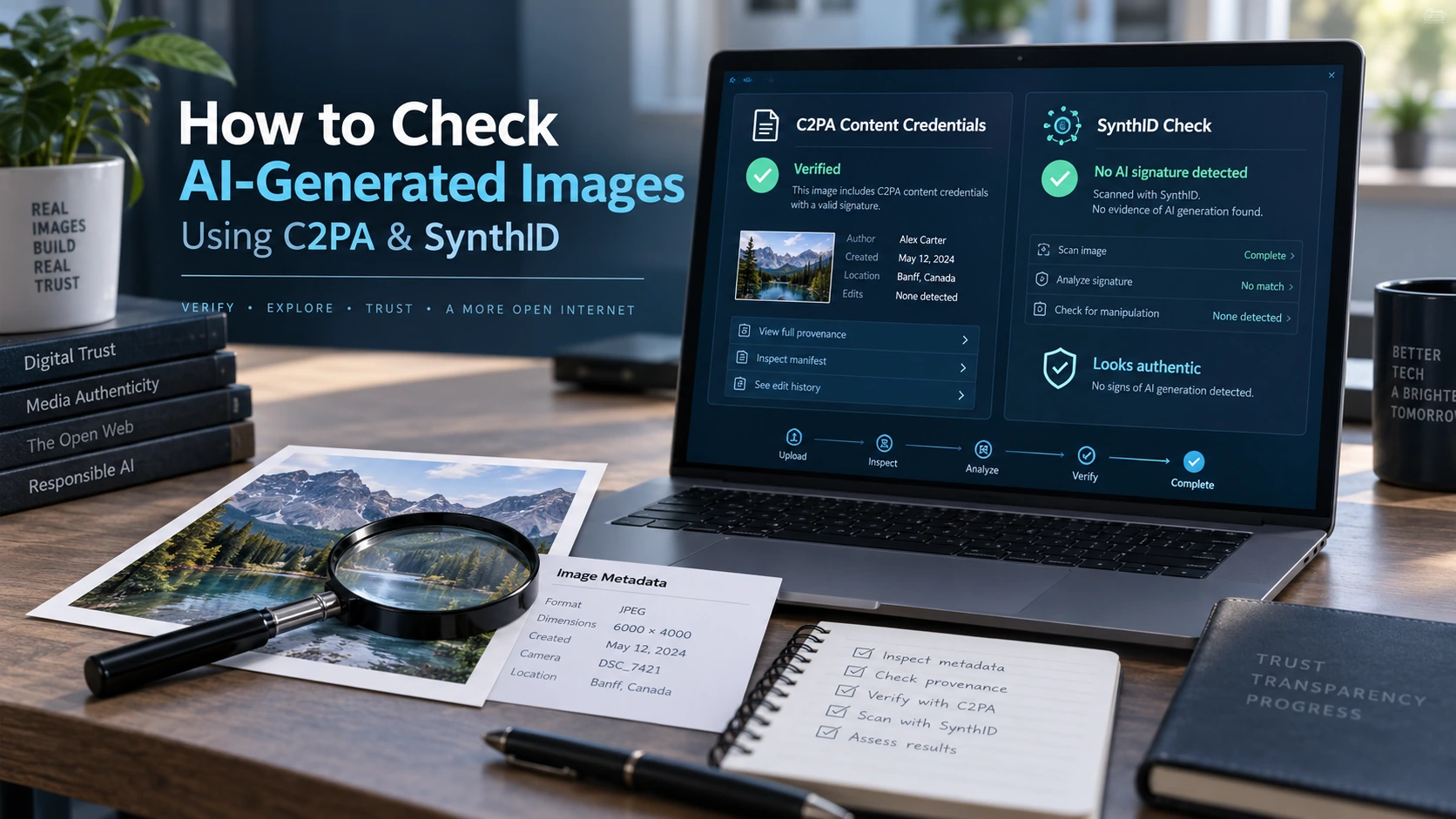
AI-generated images have reached a point where simply looking at an image is no longer enough to determine whether it is real.
A few years ago, AI images often had obvious mistakes. Hands contained too many fingers, text inside signs looked strange, faces appeared unnaturally smooth, and backgrounds sometimes melted into each other.
Those clues still appear occasionally, but modern image-generation systems can create photographs that look surprisingly convincing.
This creates a simple but increasingly important question:
How can you check whether an image was created using AI?
Instead of relying entirely on visual clues or online "AI detector" scores, there are two technologies worth understanding: C2PA Content Credentials and Google DeepMind's SynthID.
They solve different parts of the authenticity problem.
C2PA focuses on the provenance and history of digital content. It can record information about where an image came from, which tools were involved, and whether generative AI was used.
SynthID takes another approach. It can place an imperceptible digital watermark directly into AI-generated content, allowing supported systems to look for that watermark later.
Neither technology is a universal AI detector, and neither should be treated as one. However, when you understand how they work and combine them with normal verification techniques, they can provide much stronger evidence about an image's origin.
This guide explains exactly how to do that.
Why AI Images Are Becoming Harder to Detect
Visual inspection used to be one of the easiest ways to spot AI-generated images.
People would look for unusual fingers, inconsistent shadows, impossible reflections, distorted text, duplicate background objects, or strange facial details.
That strategy is becoming less reliable.
Modern generative AI models have improved at creating:
- realistic skin textures
- natural lighting
- accurate shadows
- readable text
- consistent objects
- realistic landscapes
- believable product photography
- convincing architectural scenes
- detailed human faces
An image can therefore look completely authentic while still being generated by an AI system.
At the same time, a genuine photograph can look artificial because of HDR processing, aggressive sharpening, smartphone computational photography, beauty filters, noise reduction, or heavy editing.
That means:
"It looks AI-generated" is not evidence that an image is AI-generated.
A better approach is to investigate the image's technical history.
That is where content provenance technologies become useful.
What Is C2PA?
C2PA stands for the Coalition for Content Provenance and Authenticity.
It develops an open technical standard for recording and verifying the origin and history of digital media.
Instead of trying to analyze an image and guess whether AI created it, C2PA attempts to answer questions such as:
- Where did this image come from?
- What application or device created it?
- Was it edited?
- Which tools were used?
- Was generative AI involved?
- Who or what signed the provenance information?
- Has the signed information been modified?
C2PA describes Content Credentials as cryptographically secured provenance information that can record how digital content was created and modified. The current C2PA ecosystem uses signed manifests and cryptographic hashes to make this information tamper-evident.
Think of it as something similar to a digital history attached to a file.
It is important to understand one thing immediately:
C2PA does not look at pixels and magically determine whether an image is fake.
Instead, it works when tools participating in the C2PA ecosystem record provenance information during the content creation or editing process.
What Are Content Credentials?
Content Credentials are the user-facing implementation of content provenance built around the C2PA standard.
Adobe describes them as something similar to a digital nutrition label for content. They can include information about who or what created a file, which application or device was involved, how it was edited, and whether generative AI played a role.
For example, imagine a photographer takes a picture using a C2PA-enabled camera.
The camera may create signed provenance information stating that the image originated from that device.
The photographer then opens the photograph in compatible editing software and adjusts:
- exposure
- contrast
- color
- crop
If the software also supports Content Credentials, additional information about those changes can become part of the provenance history.
Now imagine that generative AI is used to replace the background.
That AI-related action may also be recorded.
Instead of seeing only the finished JPEG, a compatible Content Credentials viewer can potentially show a history of how the final image was produced.
How C2PA Can Identify AI-Generated Images
C2PA can provide a particularly strong signal when an AI-generation system itself attaches Content Credentials.
The credential may declare that an asset was generated algorithmically or that generative AI was involved during an editing action.
Newer C2PA guidance has also expanded how synthetic media can be described. In 2026, C2PA published additional guidance covering machine-readable AI classifications, AI disclosure information, regions affected by AI editing, and information that can describe parts of the generation process.
Depending on the implementation, you might see information such as:
Created using generative AI
or details identifying an AI-enabled application.
That is much more meaningful than an AI detector saying:
87% probability this image is AI-generated.
One is provenance evidence recorded during the content workflow.
The other is a statistical prediction based on how the final pixels appear.
They should not be treated as equivalent.
How to Check an Image for C2PA Content Credentials
You do not need to manually inspect cryptographic data to use Content Credentials.
Several tools can display the information in a more readable format.
Step 1: Get the Best Available Version of the Image
Whenever possible, obtain the original file.
Avoid checking only:
- screenshots
- WhatsApp forwards
- heavily compressed social media copies
- images copied into documents
- resized thumbnails
Why?
Because processing performed by websites or apps may remove embedded metadata.
A screenshot is particularly problematic because it creates an entirely new image file.
Step 2: Look for the Content Credentials Icon
Some websites and applications display a Content Credentials icon, commonly represented with the letters CR.
When present, interacting with the icon may reveal information about the content's origin and history.
The C2PA ecosystem designed this icon as a signal that additional provenance information is available for inspection.
You may find information about:
- creator
- application
- capture device
- edits
- creation method
- AI involvement
- signing organization
Do not stop after simply seeing the icon.
Open the complete credential information whenever possible.
Step 3: Use a Content Credentials Inspection Tool
Adobe provides an Adobe Content Authenticity Inspect tool for examining Content Credentials.
The normal process is straightforward:
- Open Adobe Content Authenticity.
- Choose the Inspect section.
- Upload your image.
- Allow the tool to inspect available provenance information.
- Review the creator, application, actions, ingredients and AI-related information.
Adobe states that its Inspect tool can show information such as who was involved, how the content was created, and whether generative AI was used when that information exists in the credential.
Supported workflows can also inspect other media types, but for this guide we are concerned primarily with images.
Step 4: Inspect the Signing Information
This part is often overlooked.
A Content Credential can contain a cryptographic signature.
You should therefore pay attention to who or what recorded the credential.
Look for information such as:
- Recorded by
- Signed by
- App or device used
- Issuer
- Creation information
- Editing actions
C2PA's trust model relies significantly on the identity associated with the signing key and validation of the signed claims.
That means a credential from a recognized implementation provides a different level of evidence from arbitrary text embedded in normal metadata.
Step 5: Check the Creative History
Do not focus exclusively on a label saying "AI" or "Not AI."
Instead, study the chain of events.
For example:
Captured by camera → edited in photo editor → cropped → color adjusted
is very different from:
Created with generative AI → edited → exported
It is also different from:
Camera capture → generative fill used → final export
The last example could be a genuine photograph that contains an AI-modified region.
This is why reducing everything to "real" versus "AI" can be misleading.
What If the Tool Says "No Content Credentials"?
This is one of the most important sections of this guide.
Suppose you upload an image and the tool reports:
No Content Credentials found.
That does not mean:
This is a real photograph.
It also does not mean:
This is an AI image.
It means only that the verifier could not find usable Content Credentials for that copy of the asset.
Adobe's Content Authenticity documentation makes this distinction clearly: Content Credentials provide positive provenance information when available, but the absence of credentials does not establish that an image is authentic.
There are several reasons credentials may be missing.
The image may have been generated by a system that never added them.
A website may have removed metadata.
Someone may have taken a screenshot.
The image may have been exported through unsupported software.
The original file may have been resized or recompressed.
Or it may simply be an ordinary photograph created without C2PA support.
Therefore:
No Content Credentials = unknown provenance, not proof of authenticity.
What Is Google SynthID?
SynthID is a technology developed by Google DeepMind for watermarking and identifying AI-generated content.
Unlike ordinary visible watermarks, SynthID is designed to embed an imperceptible signal directly into generated content.
For images, that signal is incorporated into the image in a way intended to remain visually invisible while still being detectable by the appropriate system.
Google DeepMind says SynthID is used across AI-generated images, video, audio and text, although the watermarking method differs by content type.
For images, the key concept is simple:
The AI generator places a hidden watermark inside the image when the content is generated.
A compatible detector can later look for that watermark.
How SynthID Works for Images
Suppose an AI model creates a picture of a futuristic city.
During generation, SynthID can embed a signal into the resulting pixels.
You cannot normally see this signal.
The image should appear essentially the same to a human viewer.
But SynthID's detection system knows what signal to search for.
Google has designed the watermark to remain detectable after many common modifications, including certain types of:
- cropping
- filtering
- color changes
- brightness changes
- lossy compression
That does not mean the watermark is indestructible.
Google itself notes that SynthID is not foolproof against extreme image manipulation.
The goal is resilience, not mathematical impossibility of removal.
How to Check an Image Using SynthID
For ordinary users, one of the easiest ways to check supported media for SynthID is through Gemini.
Google DeepMind's current documentation says users can upload supported image, video or audio content to Gemini and ask whether it was created or altered using Google AI. Gemini can then check for a SynthID watermark.
Step 1: Save the Image
Use the highest-quality version available.
The closer you are to the original file, the better.
Step 2: Upload It to Gemini
Attach the image in a Gemini conversation.
Step 3: Ask a Direct Question
For example:
"Was this image created or edited using Google AI? Check for a SynthID watermark."
Gemini can then check whether the supported watermark is detected.
Step 4: Interpret the Result Carefully
If SynthID is detected, that is meaningful evidence that compatible AI-generation or editing technology was involved.
However, if SynthID is not detected, you cannot safely conclude that the image is human-made.
The image might have been generated by:
- an AI system that does not use SynthID
- an older generation system
- a local open-source model
- another vendor's model
- an unsupported workflow
The watermark could also have been damaged by significant processing.
Therefore:
SynthID detection can provide strong positive evidence, but absence of SynthID is not universal proof that an image is non-AI.
C2PA vs SynthID
It helps to think of the two technologies as answering different questions.
C2PA asks:
"What verifiable provenance information exists about this file?"
It focuses on content history.
It may tell you:
- where something originated
- which device created it
- which software edited it
- whether generative AI was involved
- what changes occurred
- which entity signed the record
SynthID asks:
"Can I detect the invisible watermark inserted by a compatible AI system?"
It focuses more directly on detecting a particular embedded signal.
The difference is important.
C2PA generally works through signed provenance records.
SynthID works through imperceptible watermarking embedded in the content itself.
These technologies can complement each other rather than compete.
Metadata can sometimes disappear during distribution.
A resilient watermark may survive when metadata does not.
At the same time, provenance records can provide significantly more context than a watermark alone.
That is why the future of content authenticity will probably involve multiple signals working together.
What If Neither C2PA Nor SynthID Detects Anything?
This is where image verification becomes more traditional.
Imagine that:
- no C2PA credential appears
- no SynthID watermark is detected
You still do not have enough evidence to classify the image confidently.
Instead, continue investigating.
A Practical Image Verification Workflow
Here is a more reliable process for investigating a suspicious image.
1. Preserve the Original File
Start with the highest-quality version you can obtain.
Do not immediately:
- crop it
- resize it
- convert it
- screenshot it
- run it through an editor
Preserving the original file gives provenance tools the best chance of finding available information.
2. Check C2PA Content Credentials
Use a compatible Content Credentials viewer such as Adobe Content Authenticity Inspect.
Look for:
- creation application
- camera or device
- signing organization
- generative AI labels
- editing history
- ingredients
- modifications
If the credential says the image was created using generative AI, you have useful provenance evidence.
3. Check for SynthID
Use Gemini's supported SynthID verification capability.
If the watermark is detected, consider that a meaningful indicator of compatible Google AI generation or modification.
If none is detected, record the result as:
No SynthID detected
rather than:
Image confirmed real.
Those statements mean completely different things.
4. Check the Original Source
Ask where the image first appeared.
Was it uploaded by:
- a photographer?
- a news agency?
- a government organization?
- a random social account?
- an anonymous forum user?
- an AI-art page?
Context matters enormously.
An image supposedly showing a major event should usually have multiple independent sources if the event really happened.
5. Perform a Reverse Image Search
Reverse image search can reveal earlier appearances of the same or similar image.
This may expose situations where:
- an old image is being presented as new
- a real image has been given a false caption
- an AI image originally came from an AI-art account
- the picture has been cropped from a larger original
- a manipulated version was created from a genuine photograph
Remember that misinformation does not always require AI.
A genuine photograph with a false caption can be just as misleading as a completely synthetic image.
6. Examine Visual Inconsistencies
Only after checking provenance should you rely more heavily on visual inspection.
Look at:
Hands and fingers
Modern models are better at hands, but errors still occur.
Text
Check signs, packaging, uniforms and distant writing.
Reflections
Compare mirrors, glass, water and metallic surfaces with the objects supposedly producing the reflections.
Lighting
Ask whether shadows and highlights appear to come from consistent light sources.
Repeated patterns
Crowds, windows, trees and architectural details may contain suspicious repetitions.
Object geometry
Look for impossible connections between furniture, clothing, vehicles and background objects.
Fine details
Jewelry, eyeglasses, hair, teeth and thin wires can sometimes expose inconsistencies.
None of these clues proves AI generation individually.
Think of them as supporting evidence.
7. Evaluate the Complete Evidence
Do not force every investigation into a binary answer.
A professional conclusion might instead be:
Strong evidence of AI generation
Likely AI-generated
AI modification detected
Authentic provenance available
Insufficient evidence
or:
Origin unknown
Sometimes "unknown" is the most accurate answer.
Real-World Example 1: C2PA Shows AI Generation
Imagine someone sends you a highly realistic image of a luxury house and claims they photographed it themselves.
You inspect the file using a Content Credentials viewer.
The credential shows that the image was created using a generative AI application.
In this situation, the provenance information provides much stronger evidence than visual inspection.
The house may look completely real.
That no longer matters.
The file's recorded content history says AI generation was involved.
Real-World Example 2: SynthID Is Detected
Now imagine an image circulating online showing an impossible animal.
It looks realistic enough that people are debating whether the animal exists.
No useful C2PA information appears.
You upload the image for SynthID verification, and a watermark is detected.
That gives you an important technical signal that supported AI technology was involved.
You can now investigate the source and surrounding claim with much greater skepticism.
Real-World Example 3: Nothing Is Detected
Consider another image showing a political event.
There are no Content Credentials.
No SynthID watermark is detected.
Does that mean it is genuine?
No.
Perhaps it was generated by an AI model without compatible provenance or watermarking.
Perhaps it is a genuine photograph.
Perhaps someone created an AI image and then took a screenshot.
Perhaps it is an old real photograph being misrepresented as a current event.
The correct next step is source verification, reverse image searching and contextual investigation.
Common Mistakes When Detecting AI Images
Mistake 1: Trusting a Random AI Detector Completely
AI image detectors can be useful as one signal, but they often produce false positives and false negatives.
A detector score should not automatically override provenance evidence.
Mistake 2: Assuming Missing Metadata Means Something Is Fake
Normal photographs frequently lose metadata when uploaded, downloaded or processed.
Missing metadata is not suspicious by itself.
Mistake 3: Assuming C2PA Means an Image Is True
This is subtle but extremely important.
Content provenance and factual truth are not identical.
Imagine someone displays an AI-generated picture on a computer monitor and then photographs that monitor using a C2PA-enabled camera.
The new photograph may have legitimate capture provenance showing that it came from a camera.
That does not make the scene displayed on the monitor real.
C2PA documentation itself emphasizes provenance rather than acting as a universal "fake image" detector.
Mistake 4: Treating "No SynthID" as "Not AI"
SynthID is not a universal watermark covering every AI image ever created.
Its absence should never be interpreted that way.
Mistake 5: Checking Only the Pixels
Sometimes the biggest clue is not inside the image.
It is the story around it.
Check:
- who posted it
- when they posted it
- whether reliable sources confirm it
- whether earlier versions exist
- whether the event itself makes sense
Content verification is as much about context as technology.
Limitations of C2PA and SynthID
Both technologies are valuable, but neither solves the AI authenticity problem completely.
C2PA Requires Participation
For useful provenance to exist, tools in the creation or editing workflow generally need to support the standard.
Millions of existing images have no Content Credentials.
Many cameras and applications still operate without them.
Metadata Can Be Lost
Social networks, messaging apps, screenshot workflows and image-processing services can interfere with embedded information.
Modern Content Credentials systems are exploring techniques such as watermarking, fingerprinting and cloud recovery to improve durability, but you should still expect incomplete provenance in real-world files. Adobe, for example, documents recovery mechanisms for certain Content Credentials even when embedded metadata is lost.
Provenance Does Not Equal Truth
A file may have authentic provenance while depicting something misleading.
C2PA helps establish history.
Humans must still evaluate meaning and context.
SynthID Does Not Cover Every Generator
A watermark can only be detected when compatible technology placed the signal there in the first place.
This is one of the biggest reasons that a negative watermark result cannot prove an image is genuine.
Watermarks Have Limits
SynthID is designed to survive many normal transformations, but Google acknowledges that extreme manipulation can affect detection.
No responsible verification workflow should depend on a single technical signal.
What Image Creators and Publishers Should Do
Content authenticity is not only a problem for people consuming images.
Creators should also think about how audiences will verify their work.
If you are a:
- photographer
- journalist
- designer
- publisher
- brand
- news organization
- content creator
consider preserving provenance whenever your workflow supports it.
Avoid unnecessarily stripping Content Credentials from original files.
Keep original capture files when possible.
If generative AI is used, disclose it appropriately instead of trying to hide it.
Publishers should also educate audiences about what provenance information actually means.
The goal should not be to create a simplistic:
Real / Fake
badge.
A better system communicates:
Captured
Edited
AI-assisted
AI-generated
Source verified
Origin unavailable
That provides far more useful information.
The Future of AI Image Verification
AI-generated media will continue improving.
At some point, visual detection may become almost useless for high-quality synthetic images.
The solution will therefore increasingly depend on infrastructure built around content itself.
Three types of technology are likely to matter most.
Provenance
Standards such as C2PA can help describe where content originated and how it changed.
C2PA 2.4, released in April 2026, continued expanding the standard with additional capabilities and serialization options as the ecosystem evolves.
Watermarking
Systems such as SynthID can create machine-detectable signals within generated media.
Because these signals exist inside the content rather than relying entirely on traditional metadata, they offer another layer of verification.
Contextual Verification
Search engines, fact-checkers, newsrooms and researchers will still need to verify sources, events and claims.
Technical authenticity does not automatically establish factual truth.
The strongest system will combine all three.
Imagine opening an image in the future and seeing:
- captured on a verified device
- edited in a recognized application
- generative AI used on the background
- creator identified
- provenance signatures valid
- no unexpected modifications detected
That would be far more useful than simply asking an AI detector whether the pixels "look artificial."
Google and other platforms have already been expanding content verification features around SynthID and C2PA, showing how provenance and watermark-based approaches are beginning to move closer together.
Final Thoughts
Determining whether an image was AI-generated is no longer something you should do by staring at someone's fingers.
AI image generation has become too sophisticated for that strategy to remain dependable.
Instead, start with evidence.
Check for C2PA Content Credentials to learn whether verifiable provenance information exists.
Use SynthID verification when appropriate to look for invisible watermarks associated with supported AI systems.
Then investigate the original source, search for earlier versions, examine context and only then use visual inconsistencies as supporting evidence.
Most importantly, remember these two rules:
No Content Credentials does not mean the image is real.
And:
No SynthID watermark does not mean the image was not generated by AI.
C2PA and SynthID are strongest when treated as pieces of a larger verification process rather than magical AI detectors.
The internet is moving toward a world where knowing where content came from may become more useful than trying to guess what created it by looking at the pixels.
For journalists, developers, photographers, businesses and everyday internet users, learning how provenance and watermarking work is becoming an important part of digital literacy.
Frequently Asked Questions
1. Can C2PA tell me with 100% certainty that an image was generated by AI?
No. C2PA is primarily a provenance standard rather than a universal AI detector. If an AI-generation tool records appropriate Content Credentials, those credentials can provide strong evidence that AI was involved. However, an image without Content Credentials could still be AI-generated.
2. Does no Content Credentials found mean an image is real?
No. It only means usable Content Credentials were not found for the image you checked. The image may be genuine, AI-generated, a screenshot, processed by a platform that removed metadata, or created by software that never supported C2PA.
3. Can SynthID detect every AI-generated image?
No. SynthID detects watermarks placed in content by compatible systems. It should not be considered a universal detector for every AI model or every AI-generated image on the internet.
4. Can someone remove C2PA or SynthID information from an image?
C2PA information may be lost in some workflows, particularly through screenshots or platforms that strip metadata, although newer systems can use additional durability techniques. SynthID is designed to survive many common modifications such as cropping and compression, but Google does not claim that it is impossible to defeat under every type of extreme manipulation.
5. What is the most reliable way to check whether an image is AI-generated?
Use multiple signals. Start with the original file, inspect C2PA Content Credentials, check for supported watermarking such as SynthID, investigate the original source, perform reverse image searches, compare the image with reliable reporting and inspect visual inconsistencies. A conclusion supported by several independent signals is much stronger than relying on a single AI detector.