JPEG XL Explained: Is JXL Finally Replacing WebP and AVIF
By Convertixy Editorial Team
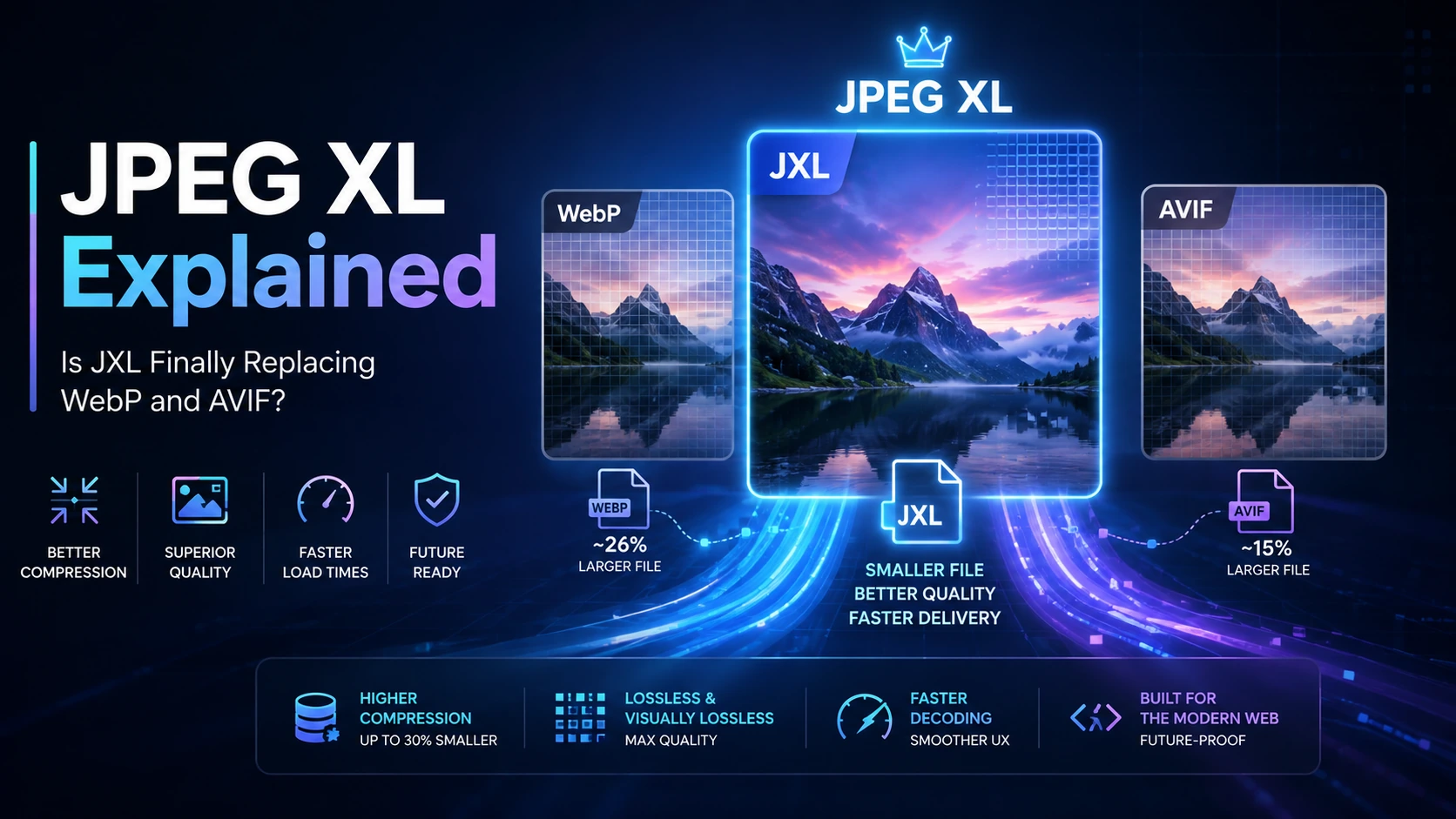
For years, choosing an image format for the web seemed relatively straightforward. JPEG was used for photographs, PNG handled transparency and graphics, GIF remained popular for simple animation, and later WebP became the modern alternative for websites looking to reduce image sizes.
Then AVIF arrived with even stronger compression.
Now another image format is moving rapidly into the spotlight: JPEG XL, commonly identified by the .jxl file extension.
JPEG XL is not a brand-new experiment. The format has been in development for years, but browser adoption has been the biggest obstacle preventing it from becoming a mainstream web format. That situation is finally changing.
In August 2026, Mozilla announced its intention to ship JPEG XL support in Firefox, with Firefox 157 targeted for default support. Chromium developers have also filed an Intent to Ship for JPEG XL decoding. Safari has supported JPEG XL since Safari 17.
That creates an interesting situation for web developers, photographers, designers, website owners and anyone working with digital images.
For the first time, JPEG XL is moving toward support across the major browser engines.
But does that mean WebP and AVIF are about to become obsolete?
Not exactly.
JPEG XL has several impressive advantages, including lossless JPEG recompression, progressive rendering, HDR support, wide color gamut, high bit depth, animation and excellent lossless compression. However, AVIF still performs extremely well for many web-quality photographs, while WebP remains deeply established across websites, CMS platforms, CDNs and image-processing tools.
The future is therefore more interesting than simply declaring one format the winner.
This guide explains what JPEG XL is, how it works, why it matters in 2026, how it compares with WebP and AVIF, and whether website owners should actually start using JXL today.
What Is JPEG XL?
JPEG XL is a modern image compression format designed to improve how images are stored, transmitted and displayed.
Its file extension is:
.jxl
The format is standardized as ISO/IEC 18181 and was designed to handle a much broader range of image requirements than traditional JPEG.
JPEG XL supports both lossy and lossless compression.
Lossy compression reduces file size by removing some information from an image, ideally without creating noticeable visual degradation.
Lossless compression preserves the complete image information so the original image data can be recovered without quality loss.
JPEG XL was also designed with modern imaging requirements in mind.
According to the JPEG Committee, JPEG XL includes capabilities such as:
- Lossy compression
- Lossless compression
- Progressive decoding
- Wide color gamut
- High dynamic range
- High bit depth
- Alpha channels
- Animation
- Layers
- Thumbnails
- Efficient web delivery
- Lossless transcoding of existing JPEG files
The official JPEG documentation also highlights JPEG XL's ability to convert existing JPEG images into smaller JPEG XL files while preserving enough information to reconstruct the original JPEG exactly.
That last feature is one of the most unusual parts of JPEG XL.
It is not simply another format competing with JPEG.
It was partially designed to help migrate the enormous amount of JPEG content already stored around the world.
Why Is JPEG XL Suddenly Important in 2026?
JPEG XL has been discussed by image compression enthusiasts for several years.
The technology itself was never the biggest problem.
Browser support was.
Without reliable browser support, website owners cannot simply upload .jxl files and expect every visitor to see them.
Safari added JPEG XL support in Safari 17, which was an important step. However, Chrome and Firefox remained the major missing pieces.
That changed significantly in August 2026.
Mozilla announced an Intent to Ship JPEG XL on August 24, 2026. Mozilla's implementation uses the Rust-based jxl-rs decoder and includes important functionality such as progressive rendering. Mozilla indicated Firefox 157 as the target for enabling JPEG XL by default.
Chromium also filed an Intent to Ship for JPEG XL decoding using jxl-rs. The Chromium proposal describes support for progressive decoding, HDR, wide color gamut, high bit depth and animation.
Safari has already supported JPEG XL since Safari 17.
This means JPEG XL is moving much closer to the point where developers can realistically consider it for normal web delivery rather than treating it as an experimental format.
That is why 2026 could become one of the most important years in JPEG XL adoption.
Why Was JPEG XL Created?
Modern websites are extremely image-heavy.
News websites use large editorial photographs.
E-commerce platforms display thousands or millions of product images.
Travel websites rely on high-resolution destination photography.
Social networks process enormous numbers of uploaded images.
Portfolio websites often need high-resolution photography.
At the same time, image size directly affects bandwidth usage and page performance.
Traditional JPEG has served the web for decades, but it was created for a very different era of computing.
JPEG XL attempts to solve several problems at once.
Instead of focusing only on achieving smaller file sizes, the format tries to provide a complete modern image system.
The goals include:
- Better compression than traditional formats
- Strong photographic image quality
- Excellent lossless compression
- Progressive image delivery
- Better support for HDR displays
- Wider color spaces
- High bit-depth images
- Efficient migration from JPEG
- Support for both photographs and graphics
- Flexible performance for different devices
The format is therefore not designed only for websites.
It can also be useful for photography archives, cloud storage, professional imaging, image processing and other workflows.
How JPEG XL Works
Explaining every part of JPEG XL's compression technology would require a highly technical discussion, but the basic idea is easier to understand.
Digital images contain enormous amounts of pixel information.
Many neighboring pixels are visually similar or mathematically related.
Compression algorithms try to represent that information more efficiently.
JPEG XL uses modern coding techniques to reduce the amount of data required to represent an image while attempting to maintain visual quality.
It supports different coding approaches depending on the type of content being compressed.
This flexibility matters because a photograph and a screenshot are very different.
A photograph may contain:
- Natural textures
- Skin tones
- Shadows
- Gradients
- Noise
- Thousands of color variations
A screenshot may contain:
- Sharp text
- Flat backgrounds
- Straight edges
- Icons
- UI elements
A format optimized only for photographs may not perform equally well on graphics.
JPEG XL was designed to work across a broad range of image types.
JPEG XL Lossless JPEG Transcoding
This is one of JPEG XL's most interesting features.
Imagine you already have a huge archive containing millions of JPEG images.
Normally, converting those files into another lossy format creates a problem.
JPEG has already discarded some information during its original compression.
If you decode that JPEG and compress it again into another lossy format, you are performing another generation of compression.
That can introduce additional quality loss.
JPEG XL provides another option.
Existing JPEG files can be losslessly transcoded into JPEG XL.
The JPEG Committee states that JPEG files can be converted into JPEG XL while allowing the exact original JPEG file to be reconstructed later.
This makes JPEG XL especially interesting for organizations with massive JPEG archives.
Instead of permanently changing the original image representation, an organization could potentially reduce storage requirements while preserving the ability to recreate the original JPEG.
The JPEG XL white paper reports typical reductions of roughly 16 to 22 percent for losslessly transcoded JPEG files. Actual results depend on the image and encoding conditions.
For a single image, that reduction might not sound revolutionary.
For millions or billions of images, it becomes much more significant.
JPEG XL Compression Explained
There is no single percentage that tells you exactly how much smaller a JPEG XL image will be.
Compression depends on:
- Image content
- Original format
- Image resolution
- Target quality
- Encoder configuration
- Encoding effort
- Whether compression is lossy or lossless
This is important because claims such as "Format X is always 50 percent smaller than Format Y" are usually oversimplified.
One image format may perform better on photographs while another performs better on screenshots.
One may win at medium quality but lose at visually lossless quality.
Mozilla demonstrated this clearly when discussing JPEG XL and AVIF.
In Mozilla's own example, AVIF produced smaller files than JPEG XL at certain web-quality photographic settings, while JPEG XL performed better in some lossless scenarios.
That tells developers something important.
Do not choose an image format based only on marketing claims.
Benchmark it using the actual images from your website.
Progressive Image Loading in JPEG XL
Progressive rendering is one of the features that makes JPEG XL particularly interesting for large web images.
Imagine opening a high-resolution photograph over a slow connection.
Without progressive loading, the user might see an empty area until enough of the image downloads.
With progressive rendering, a recognizable version of the image can appear much earlier.
The image gradually improves as additional data arrives.
This can improve perceived performance.
The total download may still take time, but users are not staring at an empty image container.
Mozilla has highlighted progressive rendering as an important part of its JPEG XL implementation.
This could be valuable for:
- Photography websites
- Image galleries
- News photography
- Art portfolios
- Large product images
- Scientific imagery
- High-resolution maps
- Image-heavy editorial pages
Progressive delivery is especially useful when users are viewing large images over slower networks.
JPEG XL and HDR Images
Display technology has improved dramatically.
Modern smartphones, laptops, monitors and televisions can display brightness and color ranges far beyond what older web standards were designed around.
HDR stands for High Dynamic Range.
HDR images can represent a wider difference between dark and bright areas.
JPEG XL was designed with HDR support in mind.
It also supports wide color gamut and high bit depth.
These features make the format interesting for professional photography and future web experiences where richer image reproduction becomes more common.
JPEG XL is not just about reducing bandwidth.
It is also about preserving and delivering higher-quality image information.
JPEG XL Transparency and Animation
JPEG XL supports alpha channels.
An alpha channel allows images to contain transparency.
Traditional JPEG does not support transparency, which is one reason PNG became important for logos, graphics and interface elements.
JPEG XL also supports animated content.
This makes JPEG XL more flexible than traditional JPEG and gives it potential use cases beyond ordinary photographs.
However, browser implementation details can vary.
A format supporting a feature in its specification does not automatically mean every application or browser supports every feature equally.
Developers should always test the exact functionality they plan to use.
JPEG XL vs JPEG
Traditional JPEG still has one enormous advantage:
Compatibility.
Almost every browser, application, operating system, camera, image editor and device can understand JPEG.
That makes JPEG extraordinarily difficult to replace.
However, JPEG XL offers many capabilities that traditional JPEG lacks.
JPEG XL can provide:
- Better compression efficiency
- Lossless compression
- HDR support
- Wide color gamut
- Higher bit depth
- Transparency
- Animation
- Progressive decoding
- Lossless JPEG transcoding
JPEG will remain important for compatibility for many years.
JPEG XL does not need JPEG to disappear in order to succeed.
In fact, its ability to work with existing JPEG content is one of its strongest advantages.
JPEG XL vs WebP
WebP played an important role in modernizing images on the web.
It brought smaller image sizes, transparency and animation into a format that eventually achieved widespread browser support.
Millions of websites now use WebP.
Content management systems such as WordPress can work with WebP.
Image optimization services commonly generate WebP.
Browsers support it broadly.
That installed ecosystem is a huge advantage.
JPEG XL, however, introduces capabilities that could make it attractive for higher-quality workflows.
JPEG XL has strengths in areas such as:
- Lossless image compression
- Progressive rendering
- High bit depth
- HDR imaging
- Wide color gamut
- JPEG transcoding
- Professional photography workflows
Mozilla's JPEG XL comparison also showed JPEG XL performing slightly better than lossless WebP in some tested examples, although performance depends heavily on the source image and encoding configuration.
Does that make WebP useless?
No.
WebP remains a practical, compatible and well-supported format.
Millions of existing websites have no urgent reason to remove it.
JPEG XL is better viewed as another powerful option rather than an instant replacement.
JPEG XL vs AVIF
AVIF is JPEG XL's most interesting modern competitor.
AVIF is based on the AV1 video coding technology and can produce excellent image compression.
It supports:
- HDR
- Transparency
- Wide color gamut
- High bit depth
- Animation
- Strong lossy compression
AVIF is already supported across major browsers and has been adopted by many web platforms.
For web-quality photography, AVIF can produce extremely small files.
Mozilla's own comparisons show that AVIF can outperform JPEG XL in file size at certain lossy quality levels.
JPEG XL becomes especially interesting when priorities change.
For example:
If you need strong lossless compression, JPEG XL may be attractive.
If progressive rendering is important, JPEG XL has an advantage.
If you want to recompress existing JPEG files without losing the ability to reconstruct them, JPEG XL provides a unique migration path.
If you are focused primarily on delivering relatively small web photographs at moderate quality, AVIF may still produce excellent results.
This is why declaring a universal winner is misleading.
The best format depends on the workload.
Is JPEG XL Better Than WebP?
In some areas, yes.
JPEG XL is a more ambitious format and offers capabilities that make it attractive for next-generation imaging.
It can be particularly compelling for:
- High-quality photography
- Lossless images
- Large image archives
- HDR content
- High bit-depth images
- Progressive delivery
- JPEG migration
But WebP has something JPEG XL is still building:
A mature ecosystem.
WebP support exists almost everywhere.
If you run a small website and WebP already gives you good image quality with fast loading times, there may be little reason to urgently replace your entire image library.
Technology should solve a real problem.
Changing formats only because a newer format exists can add unnecessary complexity.
Is JPEG XL Better Than AVIF?
Again, the answer depends on what you are trying to achieve.
AVIF is extremely competitive for lossy web images.
JPEG XL becomes especially interesting at higher quality levels, for lossless workflows, progressive rendering and legacy JPEG migration.
Think about the decision in terms of priorities.
If your top priority is extremely small web-quality photographs, test AVIF carefully.
If your priority is visually rich photography, progressive loading, lossless workflows or preserving JPEG archives, test JPEG XL.
If your website contains multiple types of images, you might eventually use multiple formats.
There is no rule saying every image on a website must use exactly the same codec.
Browser Support for JPEG XL in 2026
Browser support has historically been the biggest issue preventing JPEG XL adoption.
The situation is now changing quickly.
Safari introduced JPEG XL support with Safari 17.
Mozilla published its Intent to Ship JPEG XL on August 24, 2026, targeting Firefox 157 and using the memory-safe Rust-based jxl-rs decoder.
Chromium also filed an Intent to Ship for JPEG XL decoding in August 2026.
This does not mean every person on the internet immediately has JPEG XL support.
Users may continue running older browser versions for months or years.
Embedded browsers, older devices, enterprise environments and specialized applications may update more slowly.
Therefore, websites should continue providing fallback images during the transition.
Should Websites Start Using JPEG XL?
For most websites, the answer in 2026 is:
Start experimenting, but do not remove your existing formats yet.
JPEG XL is becoming much more relevant, but a complete site-wide migration may be premature for many projects.
A better strategy is to test JPEG XL on selected image categories.
For example, you could test:
- Large hero images
- Photography galleries
- High-resolution product photographs
- Portfolio images
- Lossless graphics
- Archived JPEG collections
Measure:
- File size
- Visual quality
- Encoding time
- Decoding behavior
- Browser compatibility
- Core Web Vitals
- Bandwidth usage
- User experience
Then compare the results with AVIF and WebP.
Your own website data matters more than theoretical benchmark arguments.
How Developers Can Use JPEG XL Safely
The safest approach is progressive enhancement.
Instead of serving only a JPEG XL file, developers can provide multiple image sources.
Modern HTML supports the <picture> element.
A simplified structure looks like this:
<picture>
<source srcset="photo.jxl" type="image/jxl">
<source srcset="photo.avif" type="image/avif">
<source srcset="photo.webp" type="image/webp">
<img src="photo.jpg" alt="Description of the image">
</picture>
A compatible browser can select an image source it understands.
Older browsers still receive the fallback JPEG.
WebKit has previously recommended the <picture> approach for serving JPEG XL with fallbacks.
This gives developers a gradual migration path.
You do not have to choose between innovation and compatibility.
You can provide both.
JPEG XL for Photography
Photography may become one of JPEG XL's strongest use cases.
Photographers care about more than tiny file sizes.
They care about:
- Fine details
- Color accuracy
- Dynamic range
- Editing flexibility
- Archival quality
- High bit depth
- Storage efficiency
JPEG XL supports many of these requirements.
A professional photography website could potentially provide high-quality images while reducing bandwidth compared with older formats.
Progressive rendering could also improve the experience of viewing very large photographs.
Instead of waiting for a full-resolution image to download, visitors could begin seeing the photograph earlier.
JPEG XL for E-commerce Websites
E-commerce websites process huge numbers of images.
A single product may contain:
- Thumbnail images
- Listing images
- Product gallery images
- Zoom images
- Mobile versions
- Desktop versions
Multiply that by hundreds of thousands of products and image optimization becomes a major infrastructure problem.
Even a relatively small percentage reduction in average image size can translate into meaningful bandwidth savings at scale.
JPEG XL could become particularly useful for high-resolution product images where visual detail matters.
However, stores should not migrate based solely on theoretical compression numbers.
Conversion rate matters more than codec popularity.
Any image-format change should be tested for:
- Loading performance
- Image sharpness
- Browser compatibility
- Mobile performance
- CPU cost
- CDN compatibility
- User experience
JPEG XL for Image Storage
One of JPEG XL's most underrated opportunities may be storage.
Consider a cloud platform storing enormous numbers of JPEG photographs.
If existing JPEG files can be losslessly transcoded into smaller JPEG XL representations while retaining the ability to restore the original JPEG, the storage economics become interesting.
Potential users include:
- Cloud photo services
- Media companies
- Digital libraries
- Publishing platforms
- News organizations
- Photography archives
- Social networks
This does not automatically mean every organization should convert its archive.
Migration itself has costs.
Organizations must consider encoding time, compatibility, software support, backup systems and long-term preservation policies.
But the feature gives JPEG XL an advantage that most modern web-focused image formats do not provide.
Potential Disadvantages of JPEG XL
JPEG XL is powerful, but it is not perfect.
1. Adoption is still developing
Browser support is improving rapidly, but users do not all upgrade immediately.
Fallback images are still important.
2. Tool compatibility varies
Not every image editor, CMS, plugin or server pipeline supports JXL equally.
You should verify your complete workflow before switching.
3. Encoding complexity
Modern image codecs can require more processing than older formats depending on the encoder settings.
Higher encoding effort may produce smaller or better images, but it can also require more CPU time.
4. More formats can increase infrastructure complexity
Supporting JPEG, WebP, AVIF and JPEG XL simultaneously can create additional storage variants and image-processing requirements.
Dynamic image CDNs can simplify this, but smaller websites may prefer a simpler setup.
5. JPEG XL does not always produce the smallest file
AVIF can outperform JPEG XL for certain lossy web images.
JPEG XL's value comes from its complete feature set, not from winning every possible file-size comparison.
Will JPEG XL Replace WebP and AVIF?
Probably not in the simple sense of one format completely eliminating the others.
Web image formats rarely disappear overnight.
JPEG is still everywhere despite being decades old.
PNG remains essential.
WebP continues to be useful.
AVIF has clear strengths.
JPEG XL adds another powerful option.
The more realistic future is a web where image delivery systems automatically choose the best format based on:
- Browser capabilities
- Image type
- Required quality
- Device
- Screen density
- Network connection
- HDR support
- Compression requirements
A CDN might deliver JPEG XL to one visitor, AVIF to another and WebP to another.
Developers may eventually care less about manually choosing one universal format.
Instead, image pipelines will choose formats dynamically.
JPEG XL therefore does not need to destroy WebP or AVIF to succeed.
It simply needs to become useful enough that browsers, CDNs, image tools and websites include it as another standard option.
The Future of JPEG XL
JPEG XL's future looks significantly stronger in 2026 than it did only a few years ago.
Safari support established an initial browser foothold.
Mozilla's August 2026 announcement changed the Firefox situation.
Chromium's Intent to Ship means the largest remaining browser ecosystem is actively moving toward JPEG XL support.
At the same time, the format itself offers capabilities that fit where digital imaging is heading:
- Larger displays
- HDR screens
- High-resolution photography
- Wide color gamuts
- Cloud photo libraries
- Faster networks
- More image-heavy applications
- Increasing storage requirements
- Higher expectations for visual quality
The interesting question is therefore no longer:
"Will anyone support JPEG XL?"
The more useful question is:
"Where does JPEG XL provide enough benefit to justify using it?"
For some websites, that answer may be nowhere yet.
For photography platforms and image-heavy applications, the answer may come much sooner.
Final Thoughts
JPEG XL is becoming one of the most important image formats to watch in 2026.
It combines modern compression with features that go beyond simply making photographs smaller.
Lossless JPEG transcoding gives organizations a practical way to rethink huge JPEG archives.
Progressive rendering can improve the experience of loading large images.
HDR, wide color gamut and high bit-depth support make JPEG XL relevant for modern displays and professional imaging.
Lossless compression makes it competitive for graphics and high-quality storage.
Most importantly, browser support is finally moving forward.
Safari already supports JPEG XL. Mozilla has announced plans to ship it in Firefox, and Chromium has also moved toward shipping JPEG XL decoding support.
But this does not mean you should delete every WebP and AVIF file from your website.
AVIF remains excellent for many lossy web photographs.
WebP remains widely supported and deeply integrated into today's web infrastructure.
JPEG remains the safest universal fallback.
The best strategy is experimentation.
Test JPEG XL using real images from your website.
Compare file sizes at equivalent visual quality.
Measure loading behavior.
Check browser support.
Evaluate encoding and decoding performance.
Then decide where JPEG XL actually improves your website.
The future of web images is unlikely to belong to a single format.
Instead, the winners will be websites and platforms that intelligently choose the right image format for the right situation.
JPEG XL now looks increasingly likely to become an important part of that future.
Frequently Asked Questions
1. What is JPEG XL?
JPEG XL is a modern image compression format standardized as ISO/IEC 18181. It supports lossy and lossless compression, progressive decoding, HDR, wide color gamut, high bit depth, transparency, animation and lossless transcoding of existing JPEG files. Files usually use the .jxl extension.
2. Is JPEG XL better than WebP?
JPEG XL can be better than WebP for certain use cases, particularly lossless compression, large photographs, HDR content, progressive rendering and high-quality image storage. However, WebP currently has a very mature ecosystem and remains an effective format for normal web image delivery.
3. Is JPEG XL better than AVIF?
Neither format wins in every situation. AVIF can achieve excellent file sizes for lossy web photographs, while JPEG XL has major strengths in progressive rendering, lossless workflows, high-quality photography and lossless JPEG transcoding. Developers should compare both formats using their actual images.
4. Do browsers support JPEG XL in 2026?
Browser support is improving significantly. Safari has supported JPEG XL since Safari 17. In August 2026, Mozilla announced its intent to ship JPEG XL in Firefox with Firefox 157 targeted for default support, and Chromium also filed an Intent to Ship for JPEG XL decoding. Websites should still provide fallback formats because many users may be running older browser versions.
5. Will JPEG XL replace WebP and AVIF?
JPEG XL is unlikely to completely replace WebP or AVIF in the near future. All three formats have different strengths. JPEG XL could become especially important for high-quality images, lossless storage, progressive rendering, HDR photography and JPEG archives, while AVIF and WebP will continue serving many web optimization use cases. The most likely future is intelligent image delivery where websites provide multiple formats and browsers receive the most appropriate version.